Help · Attendees
Help for attendees
Do I need an account? #
No. Pick a tier, type your name and email, and your ticket is on the screen. There's nothing to download and nothing to log in to.
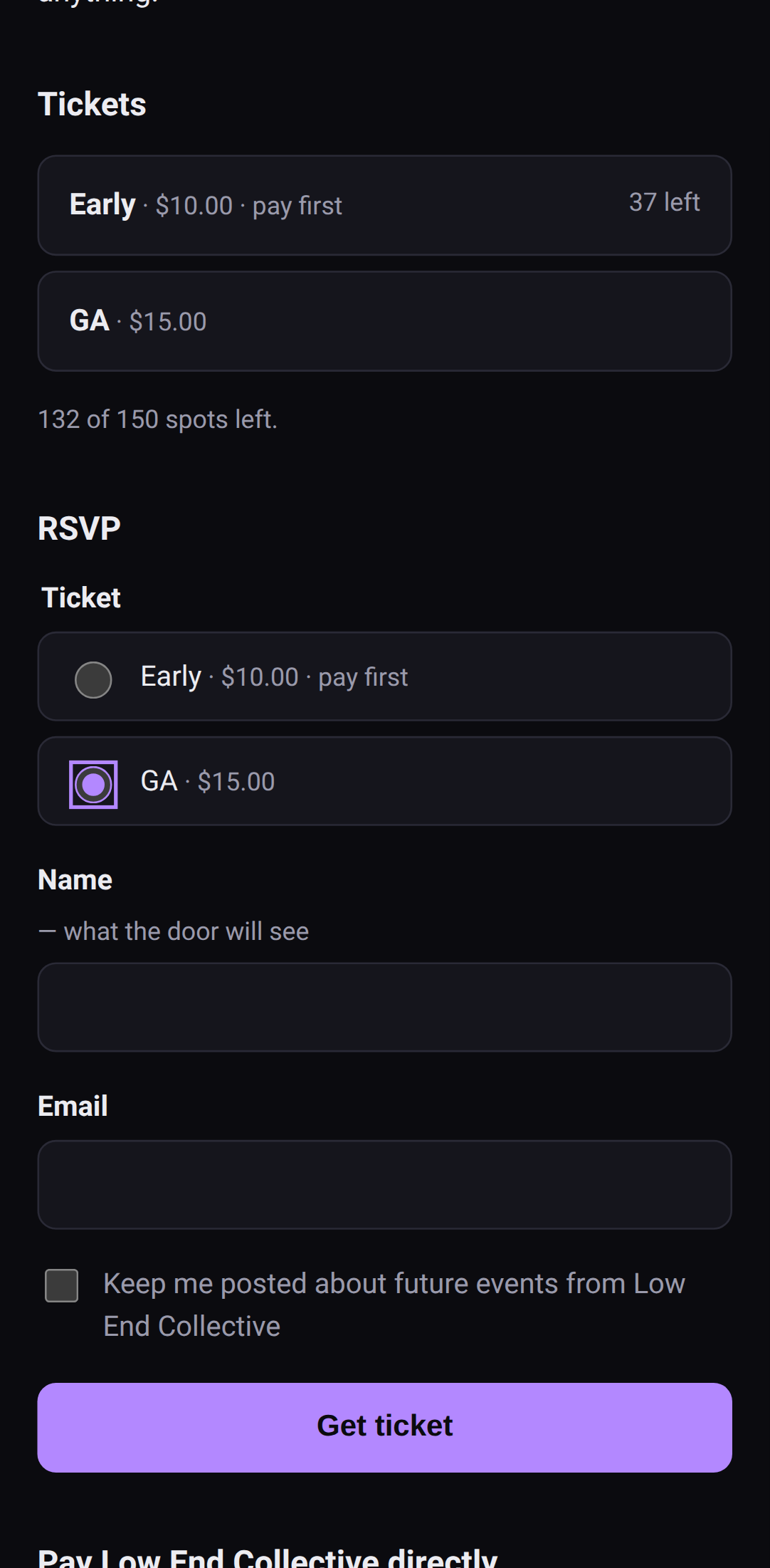 That's the whole thing.
Where's my ticket? #
On the page you landed on right after you RSVP'd — the QR code and a typed code under it. That page's address is your ticket, so:
- Save it. Bookmark it, add it to your home screen, or tap Save ticket to photos to keep a picture of it.
- Don't post it. Anyone with the link or a screenshot of the QR can use it, and it only gets in once.
My ticket won't open #
- No signal at the venue? If you've opened the ticket once before, it opens offline. A screenshot of the QR works too.
- Lost the link? Get in touch with the promoter. They can see you on their list.
- "This ticket is no longer valid" means the promoter cancelled or removed it. Talk to them.
The QR won't scan #
Turn your screen brightness up. If it still won't read, the door can type the code under the QR instead.
I RSVP'd but there's no ticket #
Some events are door only: tickets are sold at the door on the day. Your RSVP lets the promoter know you're coming and how many you're bringing. The page you land on after RSVPing is yours to keep. It has the details, and a button if you can't make it after all.
I paid — where's my ticket? #
Some tickets are pay first: the page says so before you RSVP. You get an order page with the amount and a short reference to put on your payment. Your ticket shows up on that same page once the promoter sees your payment and releases it. Keep the page, bookmark it or add it to your home screen, and check back.
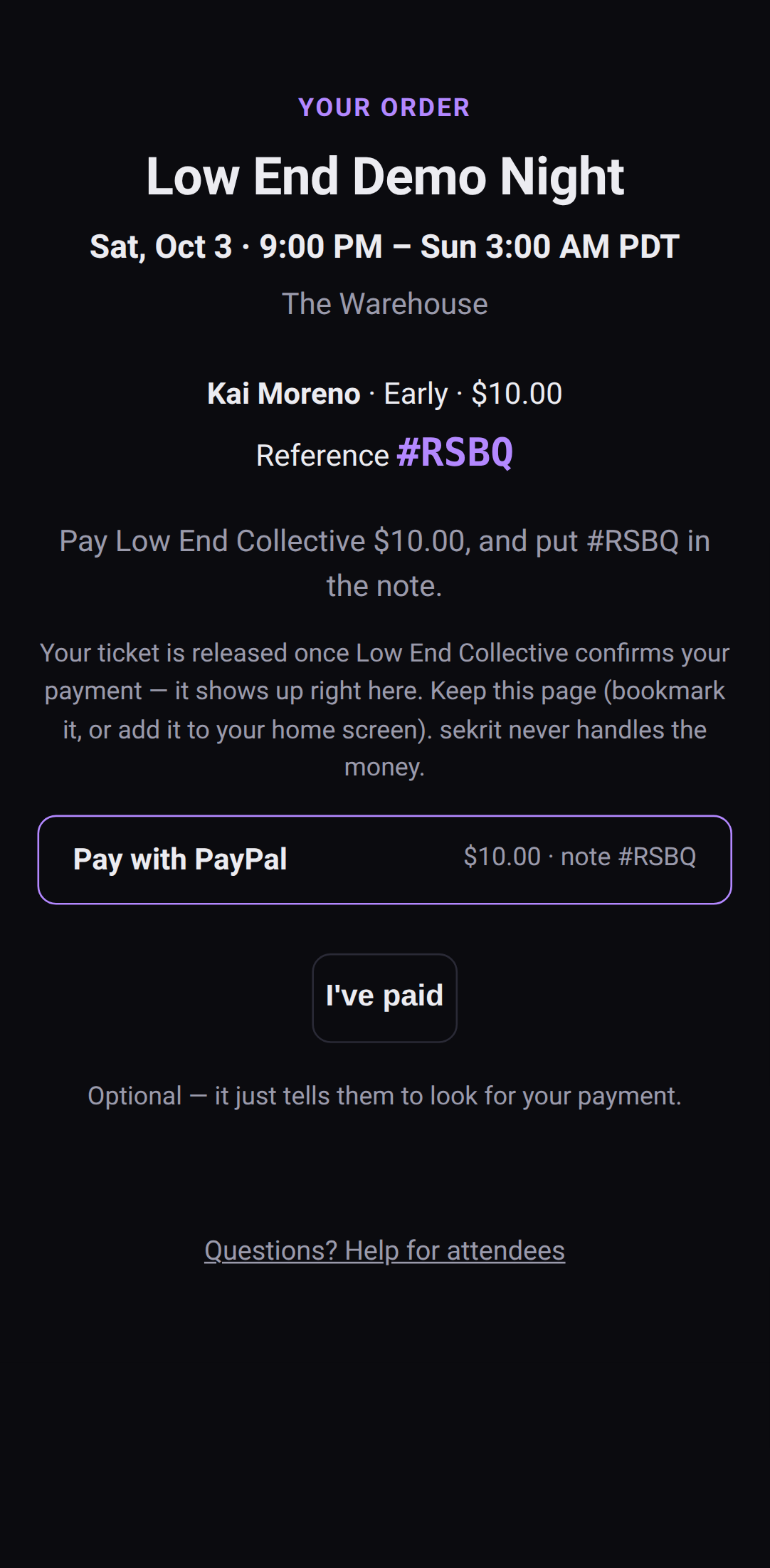 A pay-first order page.
If the event starts or RSVPs close before your payment's confirmed, the hold lapses. If you'd paid, get in touch with the promoter and give them your reference.
I paid — where's my receipt? #
sekrit doesn't handle money. You paid the promoter directly through their own Venmo, PayPal or similar, so the receipt is in that app. Refunds come from the promoter the same way.
Why can't I RSVP? #
The page says why, plainly:
- "This event is at capacity" — the room is honestly full.
- "RSVPs are closed" — the promoter has stopped taking RSVPs, usually because doors are open.
- "This event was cancelled" — it's off.
- "You can't RSVP to this event. Contact the promoter." — talk to the promoter.
There are no invite codes, queues or lotteries. If there's room and RSVPs are open, you're in.
How do I stop getting emails? #
You only get them if you ticked the box to hear about future events. Every message from a promoter should have a way to unsubscribe. If it doesn't, ask the promoter directly — they can take you off their list.