Help · The door
Run the door
Any phone can be the scanner. Crew use their own — no app, no accounts, and it keeps working when the basement has no signal.
Door codes #
On the event page, under Door, make a code for each person or shift: "Sam, 10–12", "Jo, 12–2". Each one comes with a link and a QR. Point a crew phone's camera at the QR and it opens the scanner, ready to go.
- One code per person or shift, so you can turn one off on its own when a shift ends or a phone goes missing.
- Turn off kills a code straight away. Any phone using it stops scanning.
- The scanner shows the code's label, so a phone handed over at a shift change says whose code it's still on.
- A door code opens this event's door and nothing else. It isn't a login.
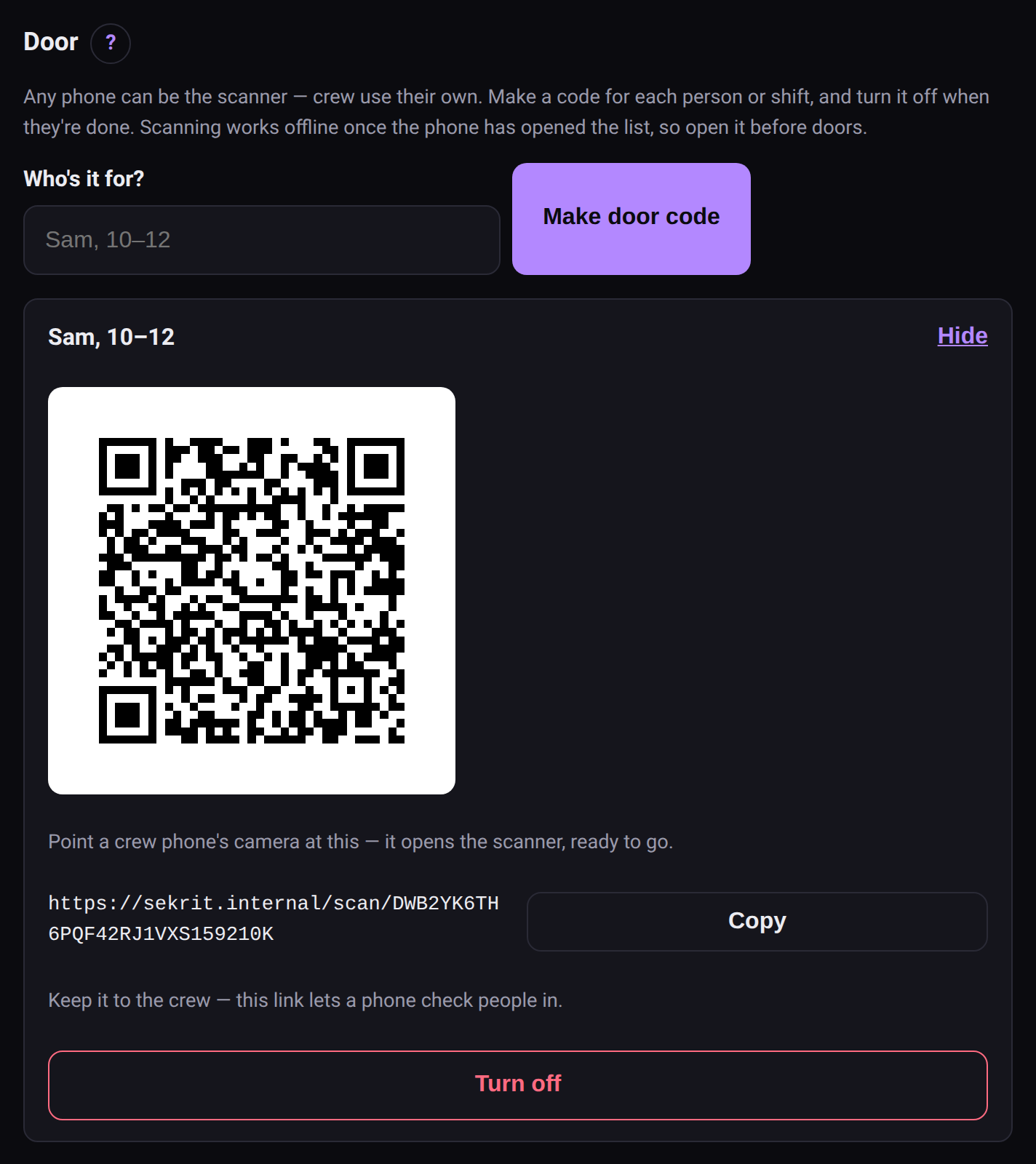 A door code for each person or shift. Point a crew phone at the QR.
Before doors #
Do this with signal, ideally the day before. From a week out, the event page shows this as a checklist you can tick off.
- Open the scanner on every door phone. It downloads the guest list and saves itself for offline use. One visit is enough.
- iPhone: add it to the home screen (Share → Add to Home Screen). Safari clears a site's saved data after about a week unless it's on the home screen — including the guest list and any unsent scans. The scanner reminds you.
- Do a test scan with your own ticket.
- Charge everything. The scanner keeps the screen awake while it's open, which is great at the door and hard on a battery.
Want to try a phone's camera before the night? The scanner test page checks it without touching a real event.
Scanning #
Point the camera at the ticket's QR. The result fills the screen:
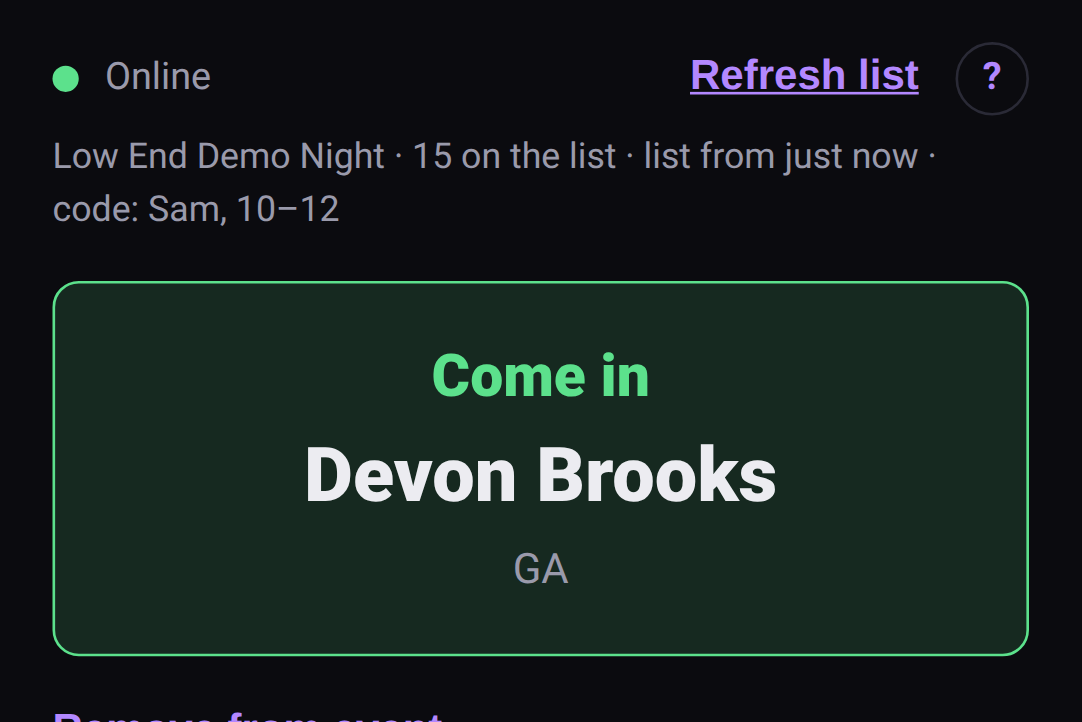 Come in.
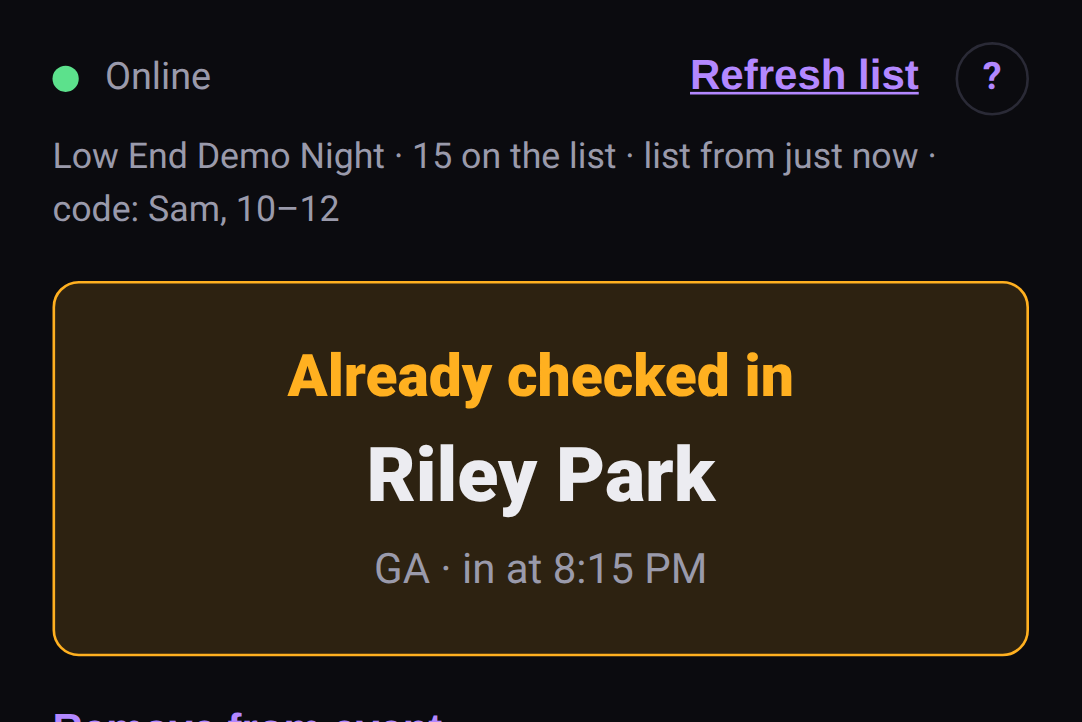 Already checked in — with the time.
| Result | What it means | What to do |
|---|---|---|
| Come in | Valid ticket, first scan | Let them in |
| Already checked in · in at 10:42 | This ticket was scanned before | Check the name. Could be a re-entry, could be a shared screenshot |
| Not on the list | No ticket matches | Check the code, try typing it. Still nothing? Find the promoter |
| Ticket cancelled | The promoter cancelled this ticket | Not valid tonight |
| Event cancelled | The whole event is off | Nobody's getting in on this event |
| REMOVED — DO NOT ADMIT | Someone was removed for safety | Don't let them in. Get the promoter if there's trouble |
Typing the code #
Every ticket has a typed code under its QR, like K4T9-2M7X-…. When the camera won't read a cracked screen in the dark, type it into Type the code instead. Dashes, spaces and lowercase don't matter, and the letters people usually mistype (O for 0, I or L for 1) are read the way they meant.
A USB or Bluetooth barcode scanner #
A handheld scanner acts like a keyboard: it types the code and presses Enter. Tick USB barcode scanner attached and the code box stays ready for the next scan without the on-screen keyboard popping up.
No signal #
The scanner works offline once it's opened the list:
- The top bar says Offline — scans are queued (or Can't reach sekrit), with how many are waiting.
- Scans are checked against the list on the phone, and each one is sent when the signal comes back. Nothing's lost if the phone locks or the page reloads.
- Two phones that are both offline can each admit the same ticket — they can't see each other's scans until they sync. Once they do, the second shows up as a repeat.
- Refresh list pulls the latest guest list. Do it when you get signal, especially if people are still RSVPing.
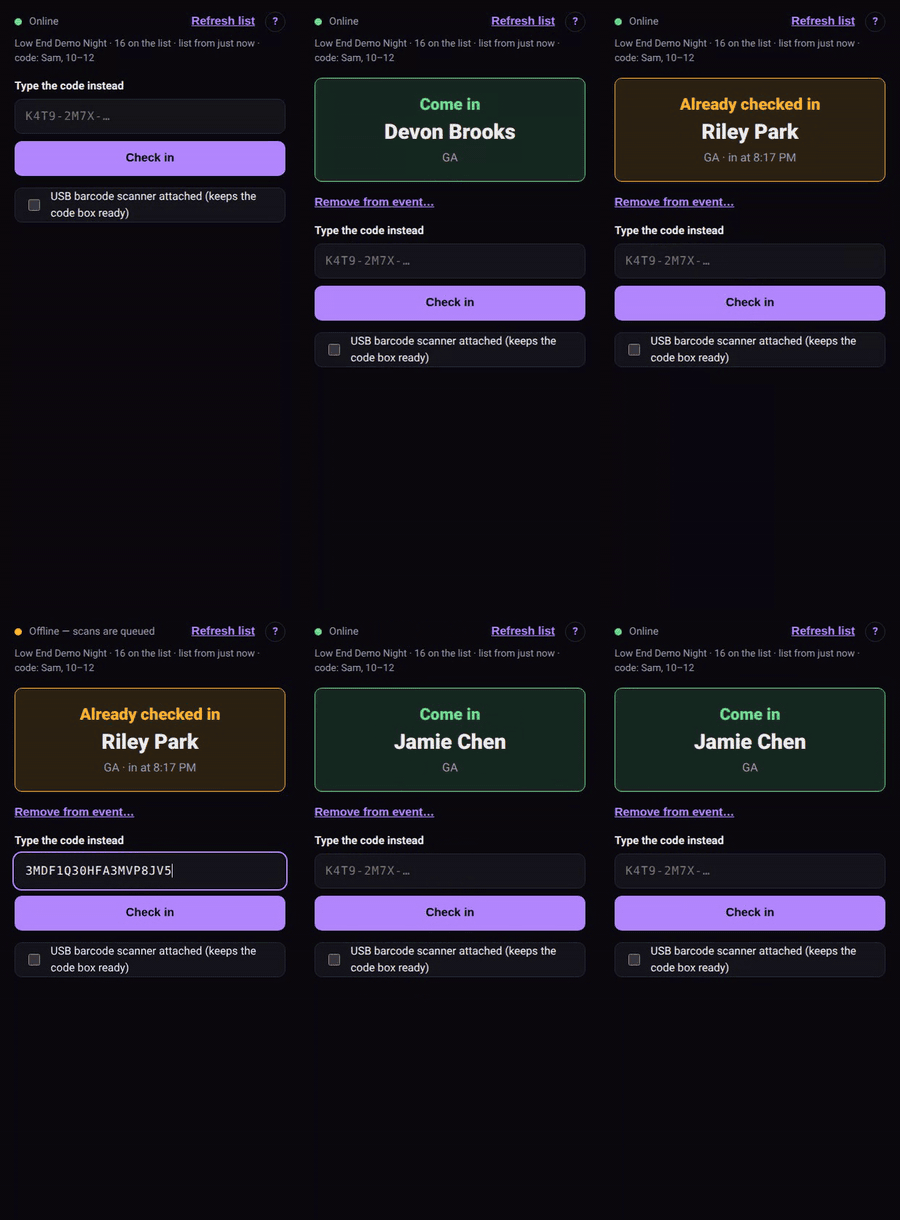 Losing signal mid-door, and the queue catching up.
Removing someone #
After a scan, Remove from event… takes that person out. Add a reason if there's time — only the promoter and crew see it. Their ticket then reads REMOVED — DO NOT ADMIT everywhere. See Keeping the space safe.
The door list #
The event page's Door list has everyone by name — who's arrived, who's a guest of whom, and your paid notes. Download CSV gives you a spreadsheet, for a paper backup. It never includes ticket codes, so a forwarded copy can't get anyone in.
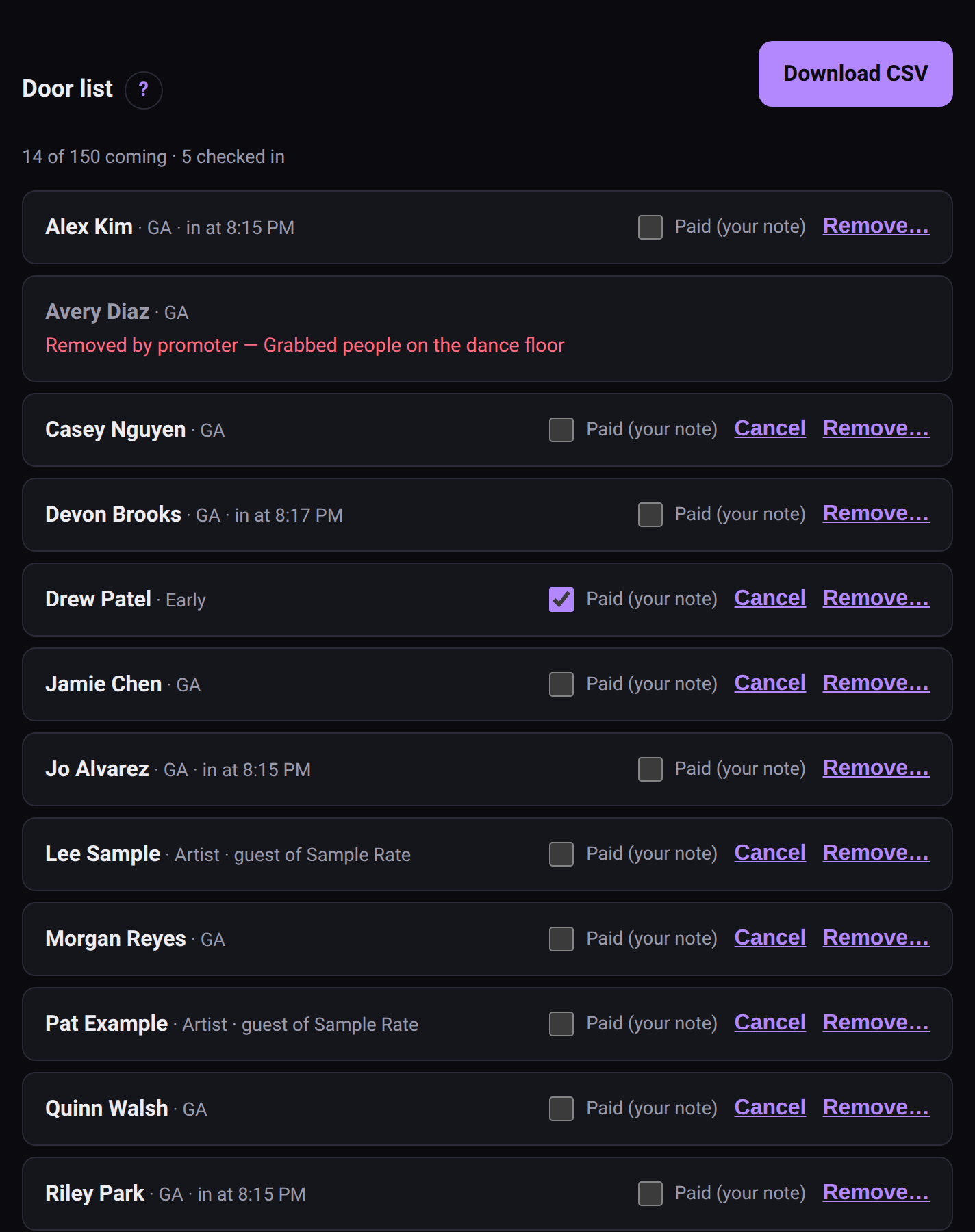 The door list.
Give crew the one-page version: Door staff card.