Help · The door
The merch-table tablet
A tablet at the merch table that puts people on your list — and keeps every signup when the venue wifi dies.
Make a signup link #
On Your list, under Signup links, pick what it's for:
- A tablet at shows — the kiosk. It shows a signup form big enough to use at arm's length, and a QR so people can sign up on their own phone instead of queueing for the tablet.
- A website, flyer or QR — a link you can print, post, or paste into your site. It comes with a snippet to embed the form in a page.
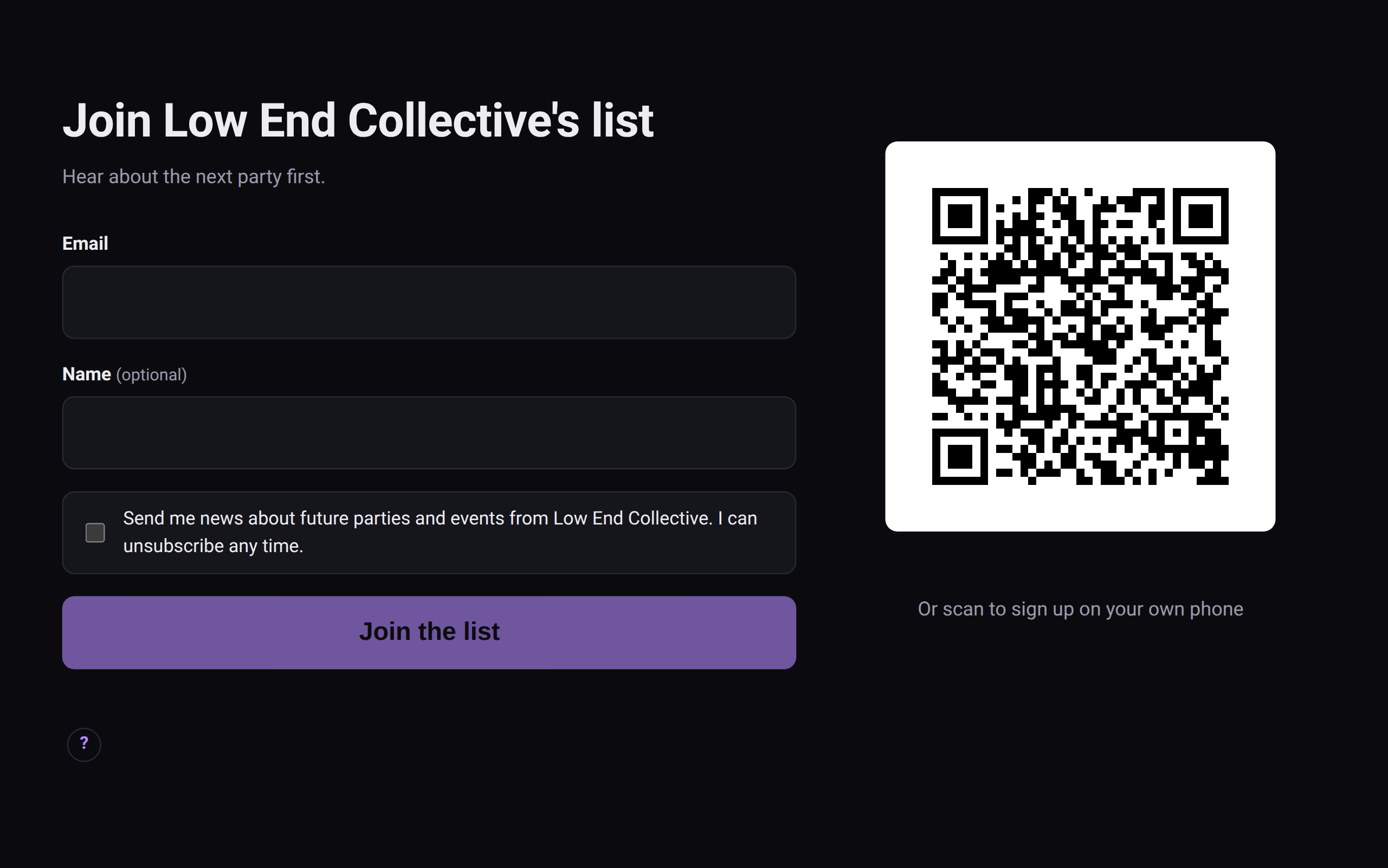 The merch-table kiosk. The QR lets people use their own phone instead.
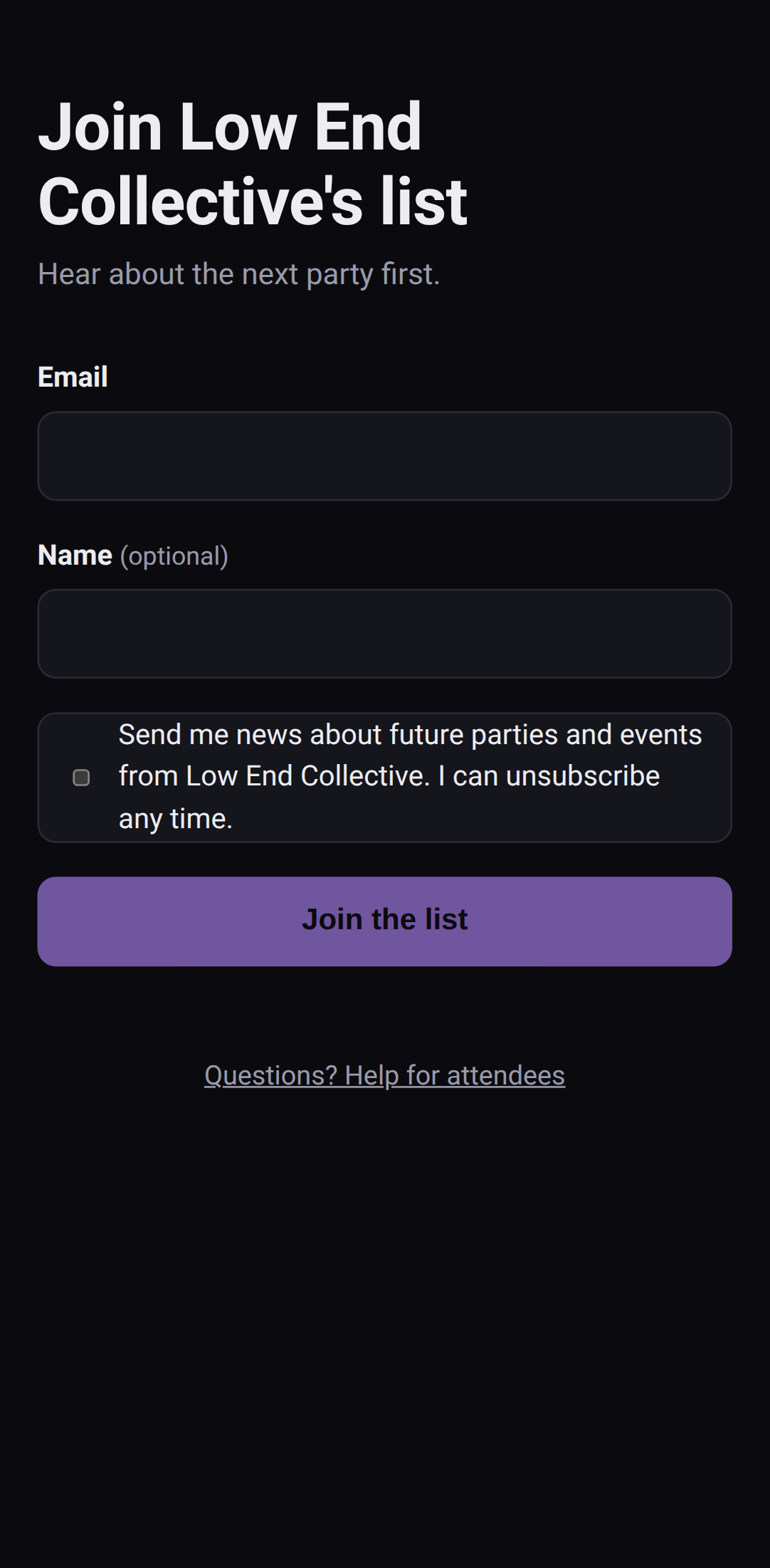 The web signup form, from a link or a QR.
The label you give it ("Tablet at shows", "tech-noid.net") is recorded as where each person agreed to hear from you.
Set up the tablet #
- Open the kiosk link on the tablet with signal. One visit saves it for offline use.
- iPad: add it to the home screen (Share → Add to Home Screen). Safari clears saved data after about a week otherwise — including signups that haven't been sent yet.
- Leave it open. It keeps the screen awake.
When the wifi dies #
Every signup is saved on the tablet first, then sent. With no signal they queue up and go out on their own when it's back. Nothing's lost if the page reloads.
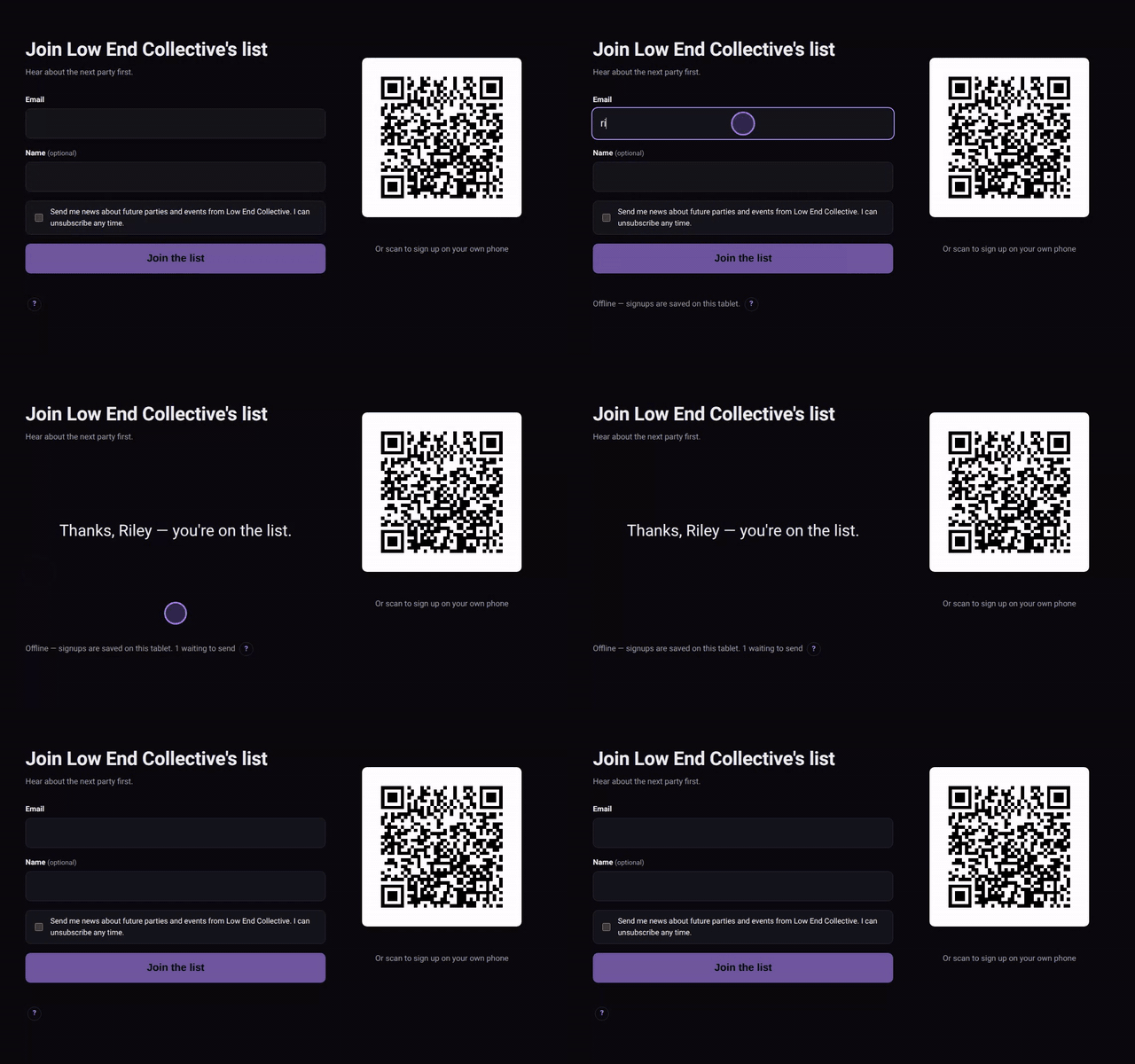 A signup with no wifi, sent when it comes back.
The QR on screen is a separate web link, not the kiosk's own — so nobody can scan it and run a kiosk of their own.
Consent #
Everyone who signs up ticks the box agreeing to hear from you — there's no signup without it. They land on your list as subscribed, with the kiosk's label as where they agreed.
Turning it off #
Turn off on a signup link kills it straight away, and a kiosk's QR stops working too. Make a new one if a tablet goes missing.