Help · Promoters
Guest lists for artists and crew
Artists, crew and comps get in without taking the public's places or showing up as a tier anyone can RSVP to.
Guest-list tiers #
Mark a ticket type Guest list only when you add it, or switch an existing one. A guest-list tier:
- isn't on the public page, and nobody can RSVP to it with the link
- still counts against capacity, because crew are real people in the room — the public "spots left" stays honest
- is issued only by you (from the door list) or by an artist from their own list
A published event always keeps at least one public tier. Hiding the last one, or deleting it, is refused — an event with only guest-list tiers would be invite-only through the back door.
Adding guests yourself #
On the Door list, use Add a guest: a name, a guest-list tier, and an email if you have one. A +1 at the door rarely has an email, and that's fine — they're on the list by name.
Guests you add count toward capacity but aren't blocked by it. It's your door.
Giving an artist their own list #
Under Guest lists, make one for each artist or crew member:
- Who's it for? — "DJ Foo", "Door crew".
- Tier — which guest-list tier their guests get.
- Spots — how many people they can add.
That gives you a private link (and a QR). Send it to them — only them, because anyone with it can edit that list.
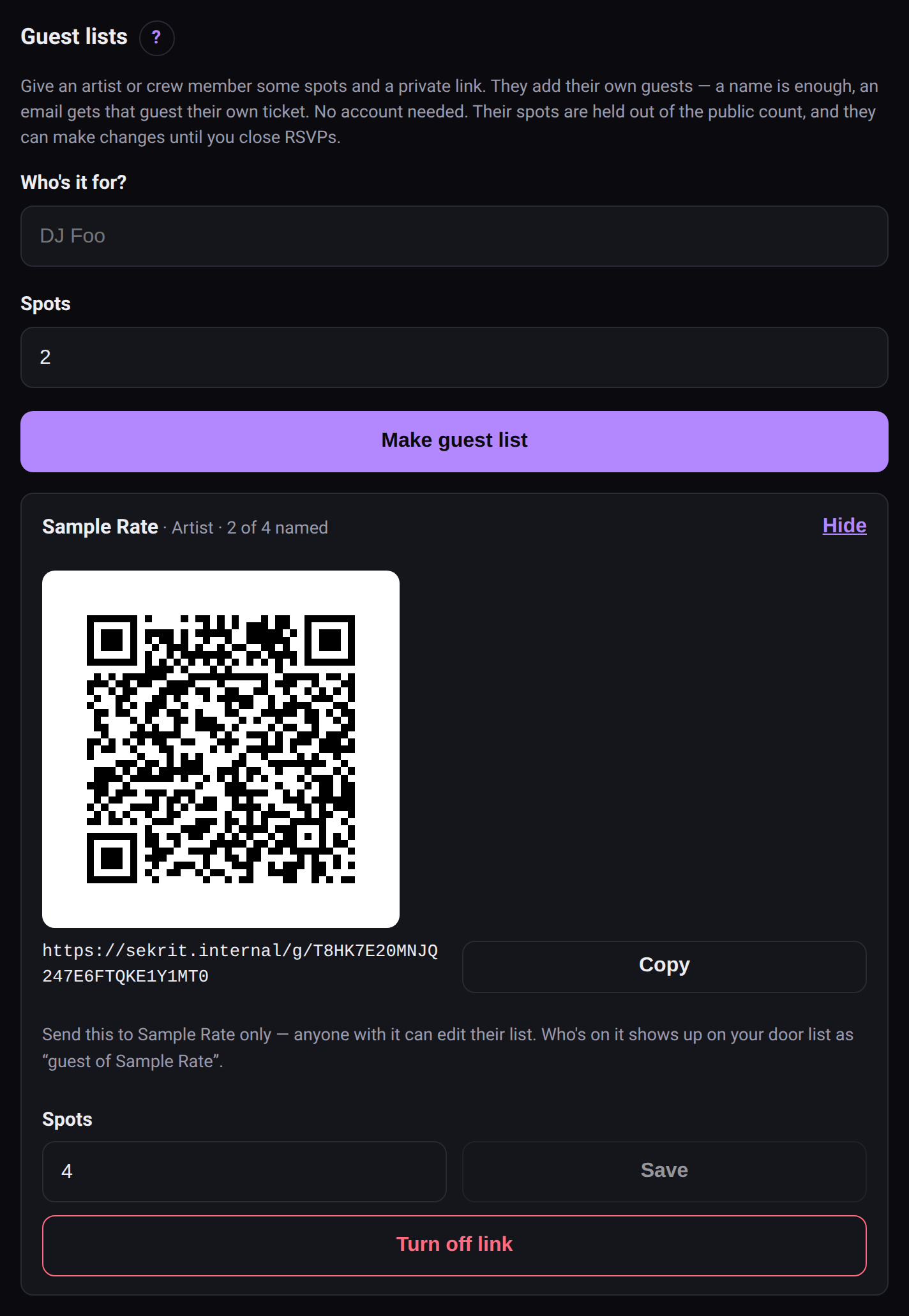 A guest list for an artist, with its private link.
The artist opens the link, no account needed, and adds guests:
- A name puts that guest on the door list.
- A name and an email also gives the guest their own ticket. sekrit doesn't send email yet, so the artist gets the ticket link to forward.
They can fix a name or take someone off until you close RSVPs. Everyone they add shows on your door list as guest of DJ Foo.
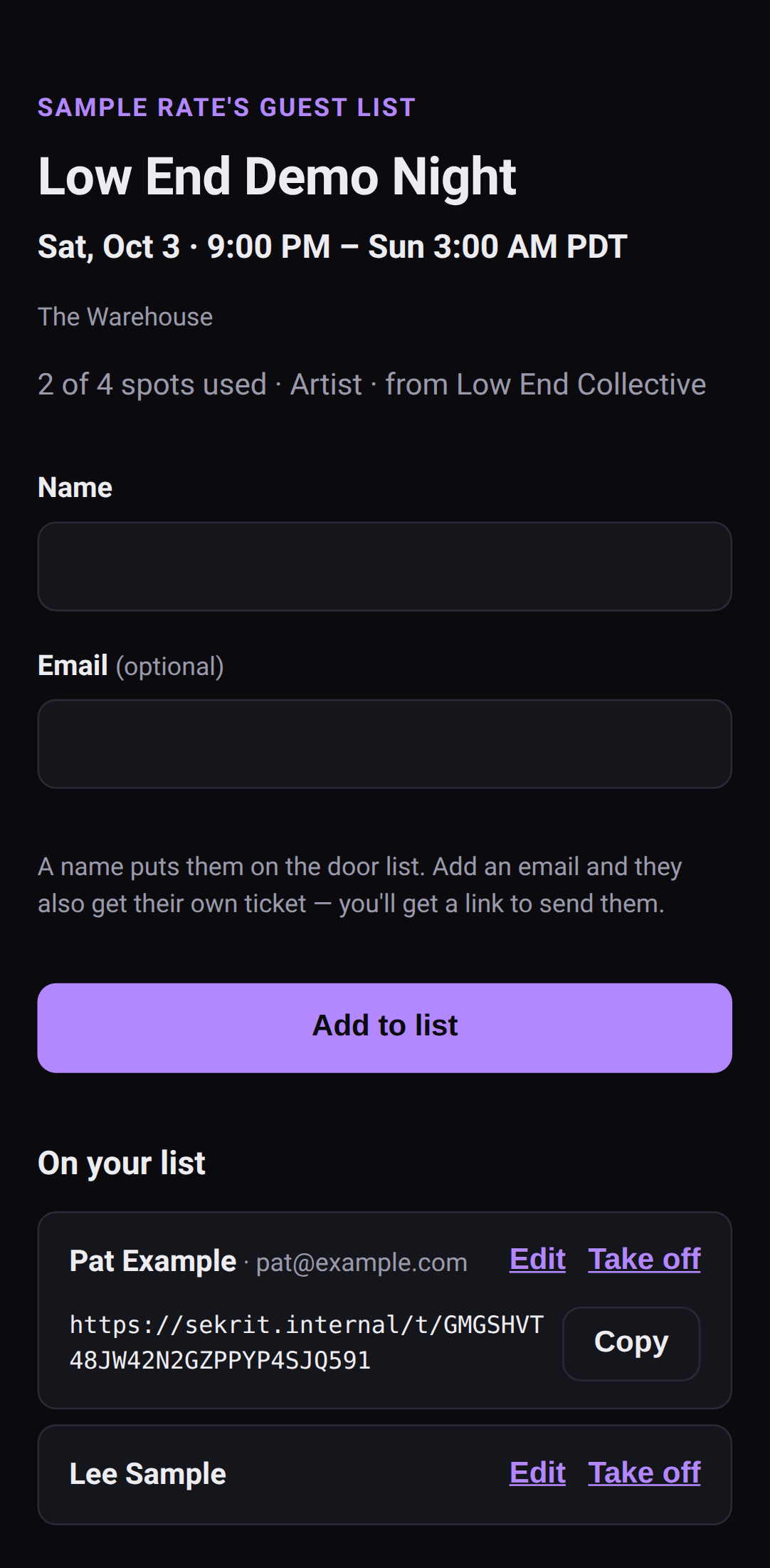 What the artist sees: their own list, and nothing else.
Spots hold their place #
An artist's unfilled spots are set aside: four spots with one name still reserves four places, so the public count never offers a place you've promised to someone. That's also what stops you overbooking.
- More or fewer spots: change the number any time, but not below how many they've already named.
- Turn off link: kills the link and gives unfilled spots back to the public count. Guests already named stay on your door list — turning off a link isn't removing people.
Closing RSVPs #
Close RSVPs on the event page stops new RSVPs — usually at doors, or when you've decided the room's done. It:
- makes the public page say "RSVPs are closed" — never "sold out" unless the room really is full
- locks every artist's list
- doesn't cancel anything: tickets already out still work, and the door runs as normal
Reopen RSVPs undoes it. You can always add guests yourself, closed or not.