Help · Promoters
Money
sekrit never touches your money. It doesn't take payments, hold them, or pay them out. That's a hard rule, and it's why the setup is this simple.
How payment works #
You add your own payment links — Venmo, Cash App, PayPal, Zelle, a Stripe Payment Link, Ko-fi, or any https link. People pay through them from their order page, after they reserve a priced ticket. When someone pays, the money goes from them to you, through whichever service you picked. sekrit never sees the transaction.
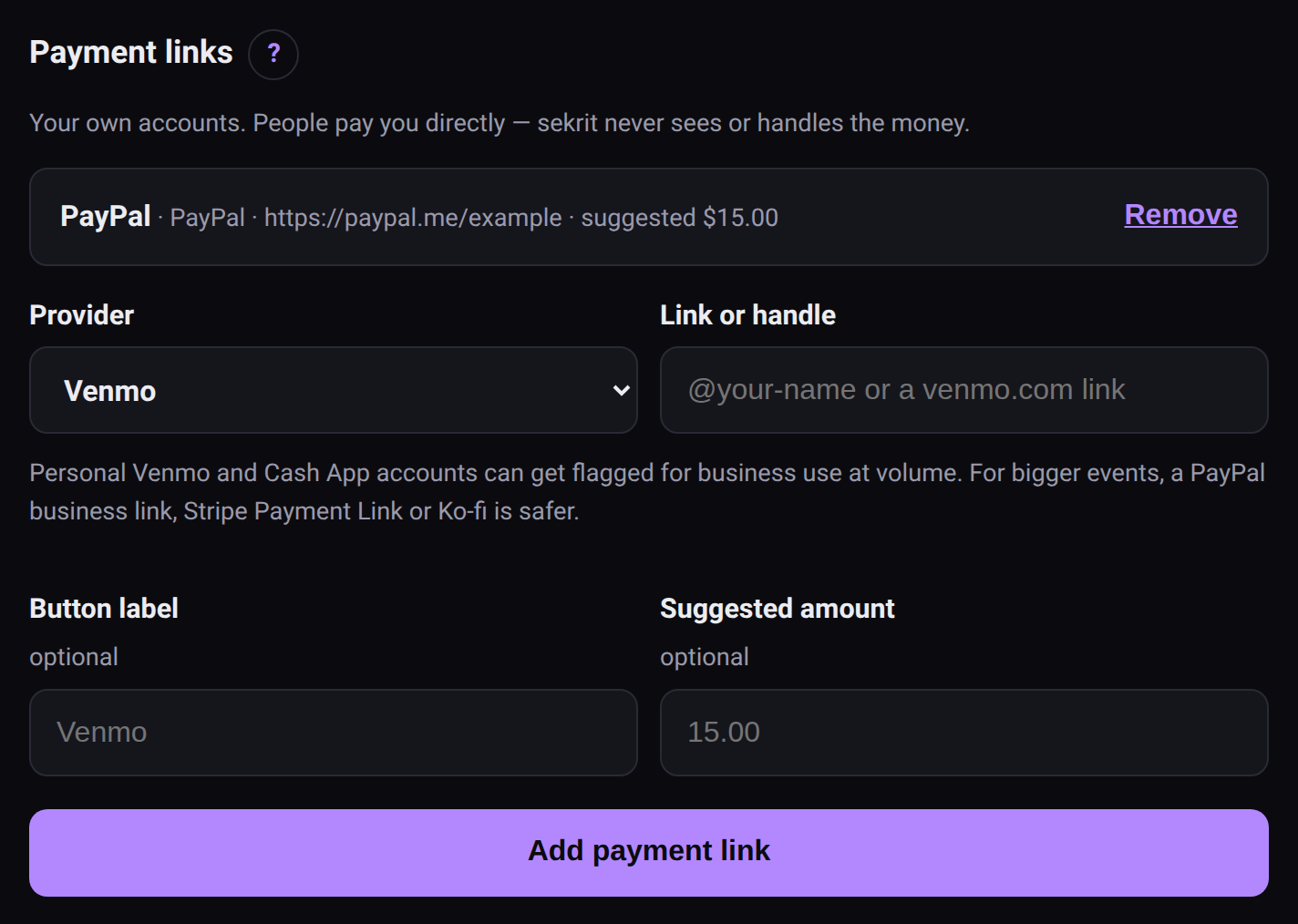 Payment links are your own accounts.
That means:
- No fees from sekrit. Whatever your payment app charges is between you and it.
- No verification by sekrit. It can't see whether someone paid. That's why a priced ticket waits for you: you check your own account and release it (below).
- Refunds are yours to send, from the same app they paid you with.
Personal Venmo and Cash App #
Personal accounts aren't meant for selling things. At volume they can get flagged or frozen. For a big event, a PayPal business link, a Stripe Payment Link or Ko-fi is safer. sekrit mentions this when you add one — it's a nudge, not a rule.
Pay first #
Every ticket with a price is paid first. The ticket waits for the money, and a ticket is never handed out on trust:
- Someone picks that tier and RSVPs. Before they do, the page tells them the ticket is released once you confirm their payment.
- Instead of a ticket they get their order page: the amount, a short reference like #K4T9, and your payment links. On a phone, the Venmo button opens the Venmo app with the amount and reference filled in. Cash App and PayPal.me get the amount; they type the reference into the note.
- They can tap I've paid to let you know. It's a hint, not proof.
- On the event page, Waiting for payment lists each order: reference, amount, name, and whether they say they've paid. Check your own Venmo, Cash App, PayPal or Zelle, and when the money's there, hit Payment received — release.
- The ticket is made then. It appears on their order page (which checks back on its own), and they're on your door list, marked paid.
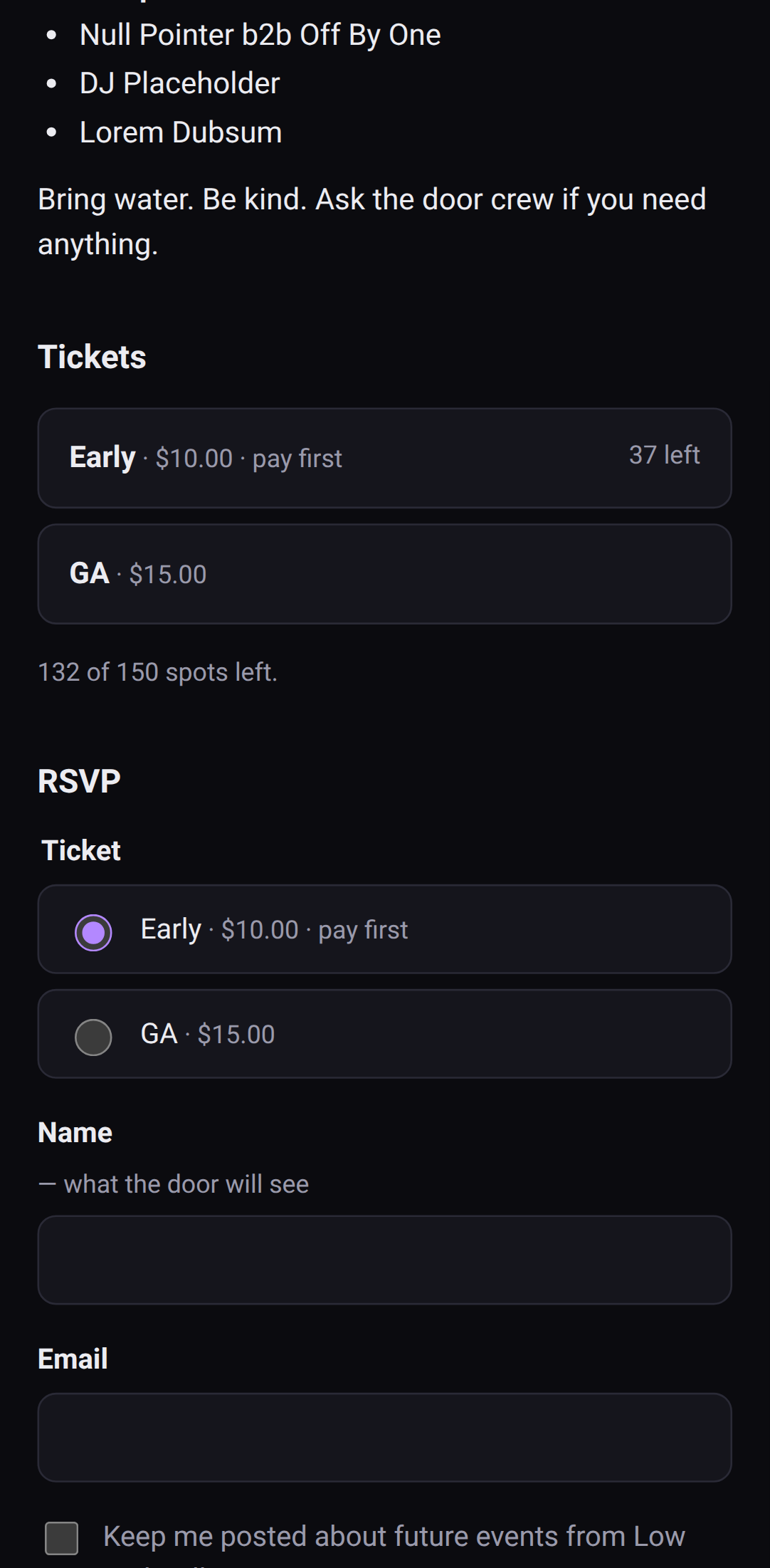 Pay first is said before anyone commits.
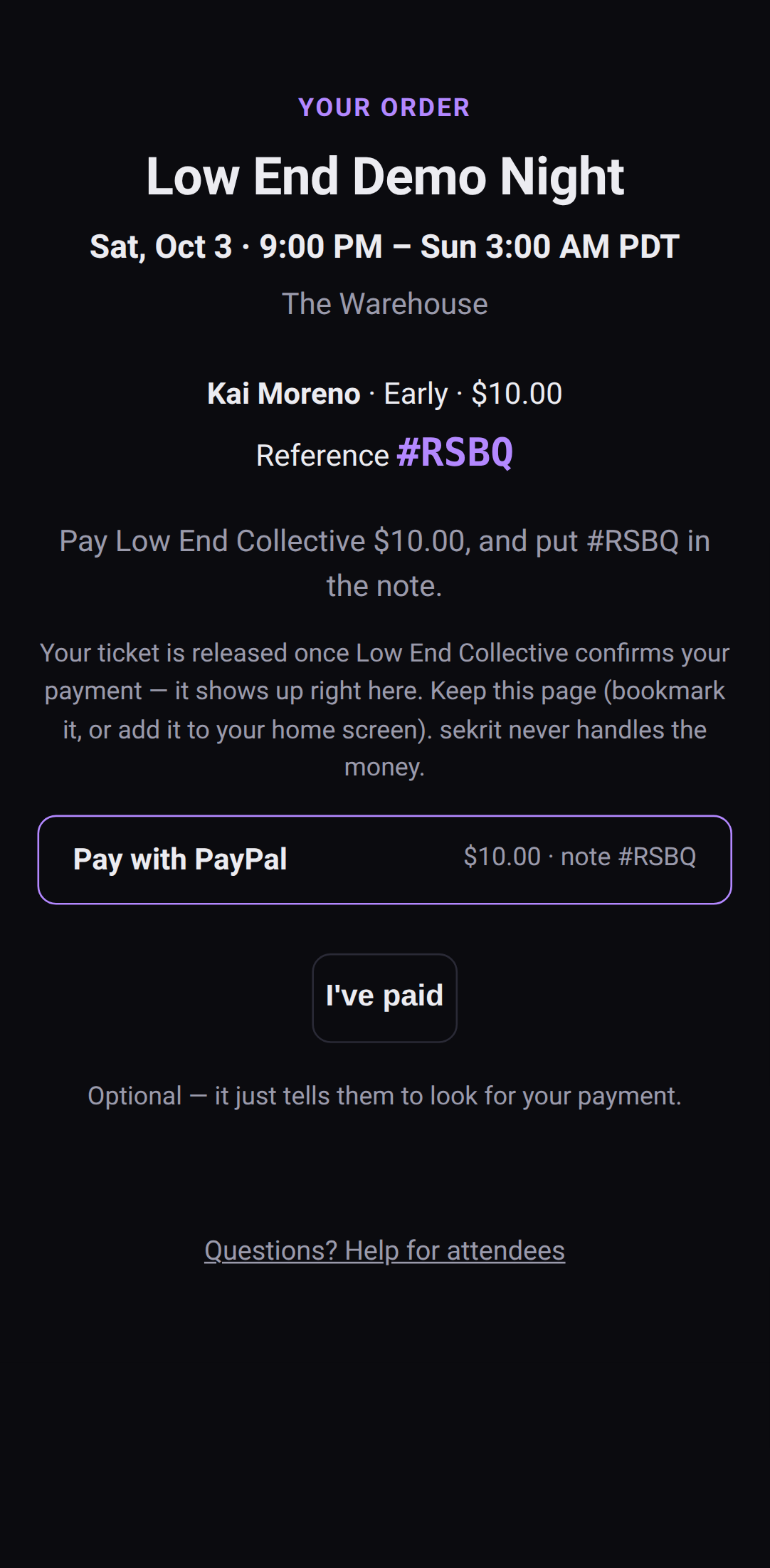 Their order page: what to pay, and the reference to put on it.
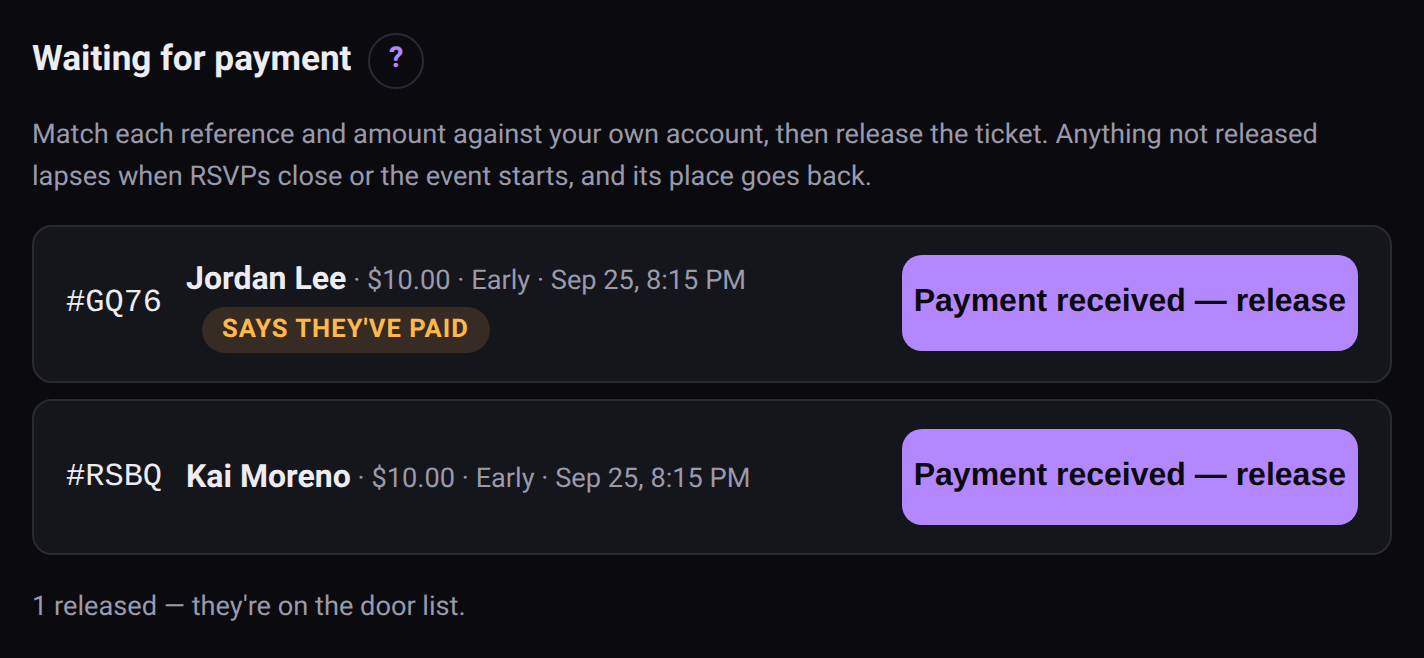 Your side: match it against your account, then release.
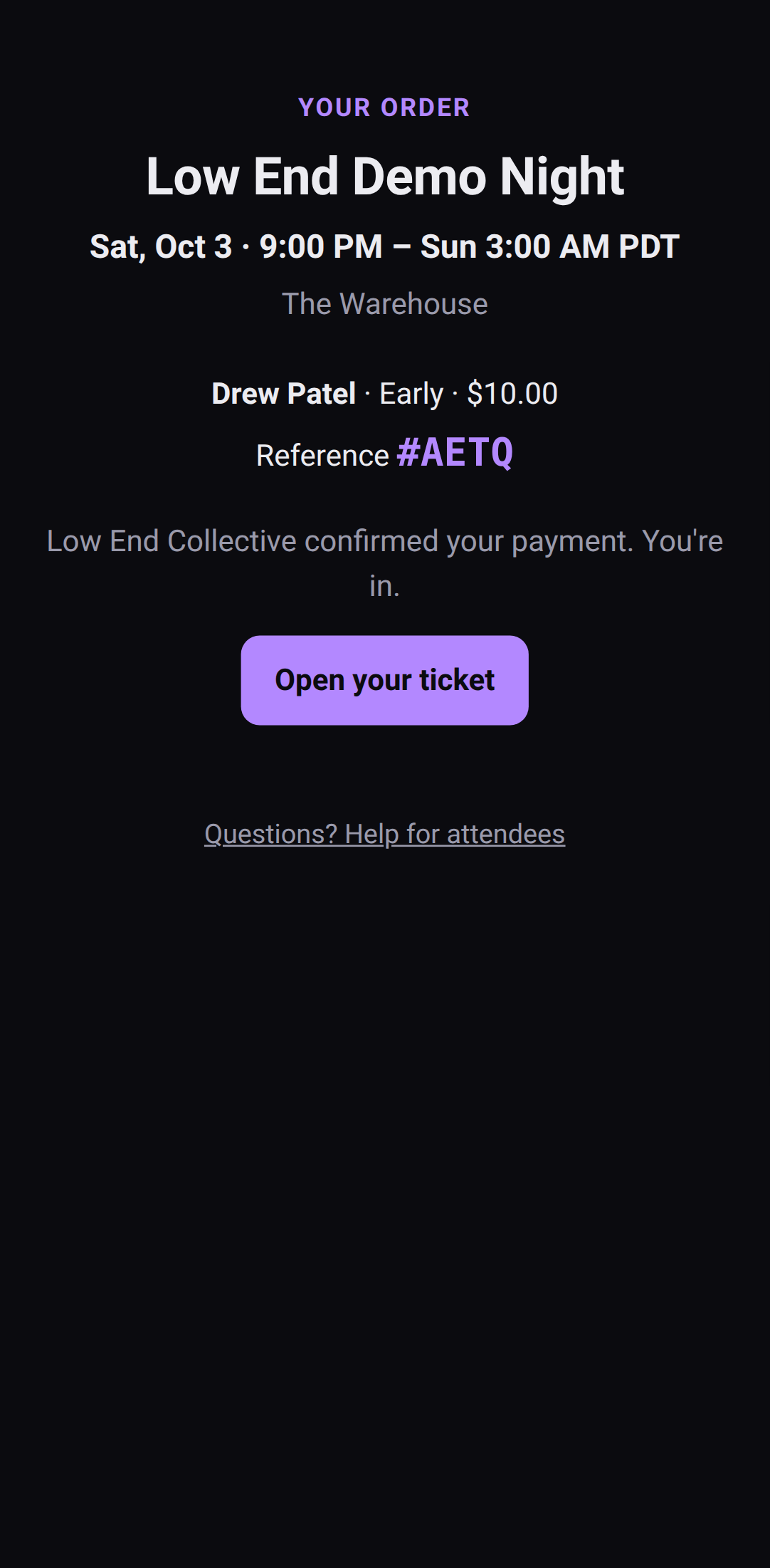 Released: the ticket appears on their order page.
Every order holds its place while it waits, so the public count never oversells.
There's no reject button, on purpose. Releasing is the only thing you can do to a waiting order. Anything not released lapses when you close RSVPs or the event starts, the same for everyone, and the place goes back to the public. Closing RSVPs warns you first if anyone's still waiting.
That's what keeps pay first honest. It confirms a payment; it never picks who gets in. If someone paid and their hold lapsed anyway, add them from the door list and send them the ticket link.
A published event with priced tickets needs at least one payment link, or there'd be nowhere to pay. Free tickets, and guest-list tickets you issue yourself, come straight away.
Keeping track #
On the Door list, the Paid (your note) box is your own record — tick it when you've seen someone's payment land. Nobody else sees it, and sekrit doesn't check it.
When you've sent someone their money back, Mark refunded records it. That's there for people you've cancelled or removed who had paid.
What's coming #
Automatic checkout — Stripe and PayPal taking the payment and issuing the ticket on the spot, with nothing for you to confirm by hand — is on the way. When it lands, the money still settles directly to your own account. sekrit will never hold a balance for you.